
Problem Statement:
A normal listbox or ASP Listbox for that matter has an issue with the scroll. They have vertical scroll by default with them. However when it comes to horizontal scroll, they choke. Even if we specify a width for the listbox and give a lengthy option in the listbox content, you cant expect it to give scroll to you automatically.
Solution Approach:
The best solution approach is to wrap the listbox in a div. The div will give the horizontal scroll, while the listbox will have its own vertical one.
Let us take a simple ASP .Net ListBox control. You can do the same with even a selectbox with select=”multiple”.
<asp:ListBox ID=”lstGroupMembers” runat=”server” SelectionMode=”Multiple” style=”width:390px;height:250px;”></asp:ListBox>

 The original text in the above listbox is “Lorem ipsum dolor sit amet, consectetur adipiscing elit. Donec lorem justo, pulvinar nec viverra”, however you are able to see only the bold section. The remaining text got trimmed.
 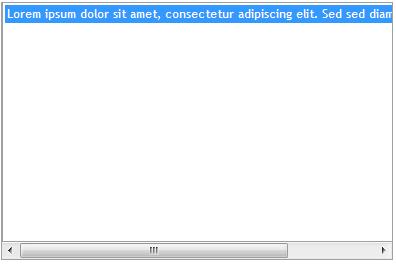 You will be able to see the full text here since we have a horizontal scrollbar coming into picture.
<div id=’groupMembers’ style=”overflow-x: auto;width:390px;height:257px;” >
<asp:ListBox ID=”lstGroupMembers” runat=”server” SelectionMode=”Multiple”></asp:ListBox></div>
function changeListboxStyles(flag) {//If flag is true, then the scroll effect happens.//If flag is false, then the scroll effect goes and everything is reset back to normal.if (flag) {if ($(“#ctl00_cphMain_lstGroupMembers > option”).size() != 0) {//Setting the width to auto to give the scroll effect, when the text goes beyond the width of the listbox.$(“#ctl00_cphMain_lstGroupMembers”).get(0).style.width = ‘auto’;
//Setting the height to be reduced a little to take care of the scrollbar of the div coming into picture$(“#ctl00_cphMain_lstGroupMembers”).get(0).style.height = ‘240px’;
$(“#groupMembers”).get(0).style.border = ‘1px solid #9f9f9f’;$(“#groupMembers”).get(0).style.borderTop = ‘none’;}}else {if ($(“#ctl00_cphMain_lstGroupMembers > option”).size() == 0) {//Resetting the width settings of the listbox back to the original value.$(“#ctl00_cphMain_lstGroupMembers”).get(0).style.width = ‘390px’;$(“#ctl00_cphMain_lstGroupMembers”).get(0).style.height = ‘250px’;
$(“#groupMembers”).get(0).style.overflow = ‘hidden’;$(“#groupMembers”).get(0).style.border = ‘none’;}}}

 The Relentless FrontEnd - Aackose Lal's Blog
[…] Horizontal Scrollbar for ASP Listbox or HTML selectbox … – Problem Statement: A normal listbox or ASP Listbox for that matter has an issue with the scroll. They have vertical scroll by default with them. However when it comes … […]
[…] https://therelentlessfrontend.com/2010/05/06/horizontal-scrollbar-for-asp-listbox-or-html-selectbox/ […]